The goal was not to ship a product. It was to understand what it means to design and develop with an AI as your pair programmer. The outcome was a planner I actually use, and you can have it.
Outcome: MIT at peponi.to — a week on my server, then run it yourself. Privacy-first. Omarchy local if you want it.
Problem Statement
The question was whether AI (Cursor) could extend the practice of prototyping in code—design that ships rather than design that gets handed off. Could an LLM help with the scaffolding, the boilerplate, the iterations that slow you down when you are exploring alone?
Todo apps are the hello world of product design. The point was control: you know the domain, you know the edges. You can focus on the process—how does it feel to build this thing with AI assistance?
Your Role and Process
The approach was a controlled experiment: build a Rails todo app with Cursor as a design and development partner. Human design decisions; AI as pair programmer.
Design decisions—flow, feedback, edge cases—stayed human. The AI handled scaffolding and debugging. The failures were instructive: they forced verification of suggestions, understanding of stack traces. The build revealed what AI-assisted development can and cannot do.
Design Solutions
What the AI did well
Scaffolding was the clear win. Generate a Todo model, add a controller, create the views. The boilerplate appeared in seconds. The AI also helped with debugging: paste an error message, get a proposed fix. Often correct, sometimes not. The AI accelerated the cycle of try, fail, fix.
Where it fell short
Design decisions need context. The AI has no memory of previous projects, no intuition about when a pattern fits. It will suggest standard Rails conventions. Sometimes that is right. Sometimes you need to break the convention and the AI will not tell you when. The most valuable takeaway: AI assistance amplifies what you already do well. The tool works best as a pair programmer. Not as a replacement.
The product: Peponi.to
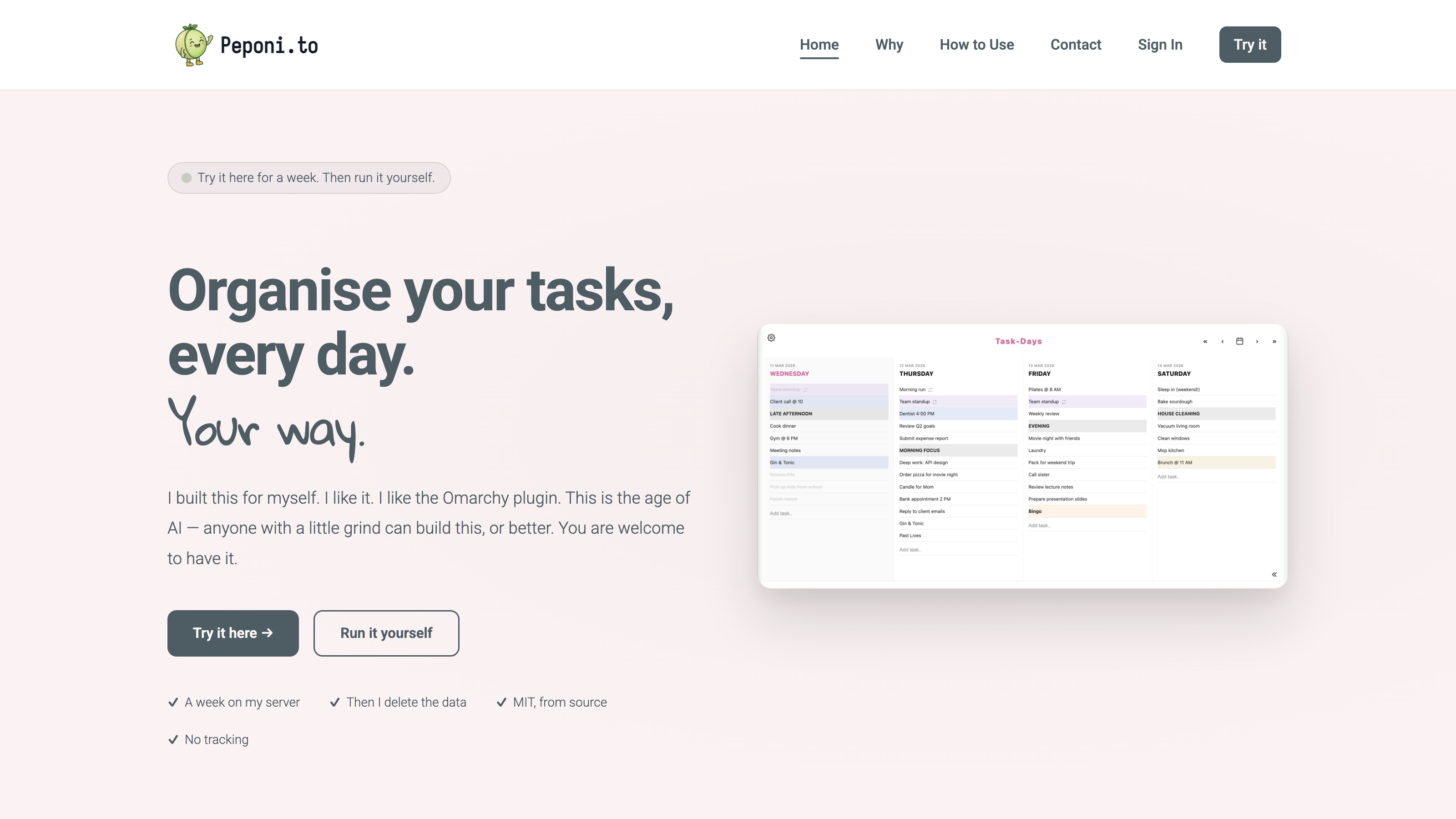
What began as an experiment became something I use. Peponi.to is live at peponi.to. Try it for a week on my server. Then I delete the account. Clone the repo to keep your lists. MIT. I built this for myself. You are welcome to have it.
Notebook-style design. Classic, Lined, Graph, Vintage, and Dark. Four fonts. Eight accent colours. Rename the app. Name your lists.
One day, or a whole week. In Settings, pick Today only, or 2 through 7 days side by side. Drag tasks between days when plans change. No due dates.
Privacy first. Email and password only. No social logins, no ads, no analytics. GDPR: export or delete whenever you want.
Run it yourself. The hosted site is a week. Your SQLite file is the data. On Omarchy, stay local: tasks never leave that machine. A PWA against peponi.to is only a shortcut to my server for that week.
Outcomes and Metrics
Live at peponi.to. A working planner that validates a working process.
MIT, from source. A week on my server, then run it yourself. No tracking.
Omarchy local. The overlay I actually use. Tasks stay on that Linux machine.
Process validated. The design stayed human. The AI was a fast first draft. The result is something people can actually use.
Related reading
- Peponi.to: try it for a week, then run it yourself — What the live planner became
- Peponi.to: AI-assisted development — What the AI did well and where it fell short
- Peponi.to: pair programming experiment — Building with Cursor as a pair programmer
- Peponi.to experiment — The experiment write-up